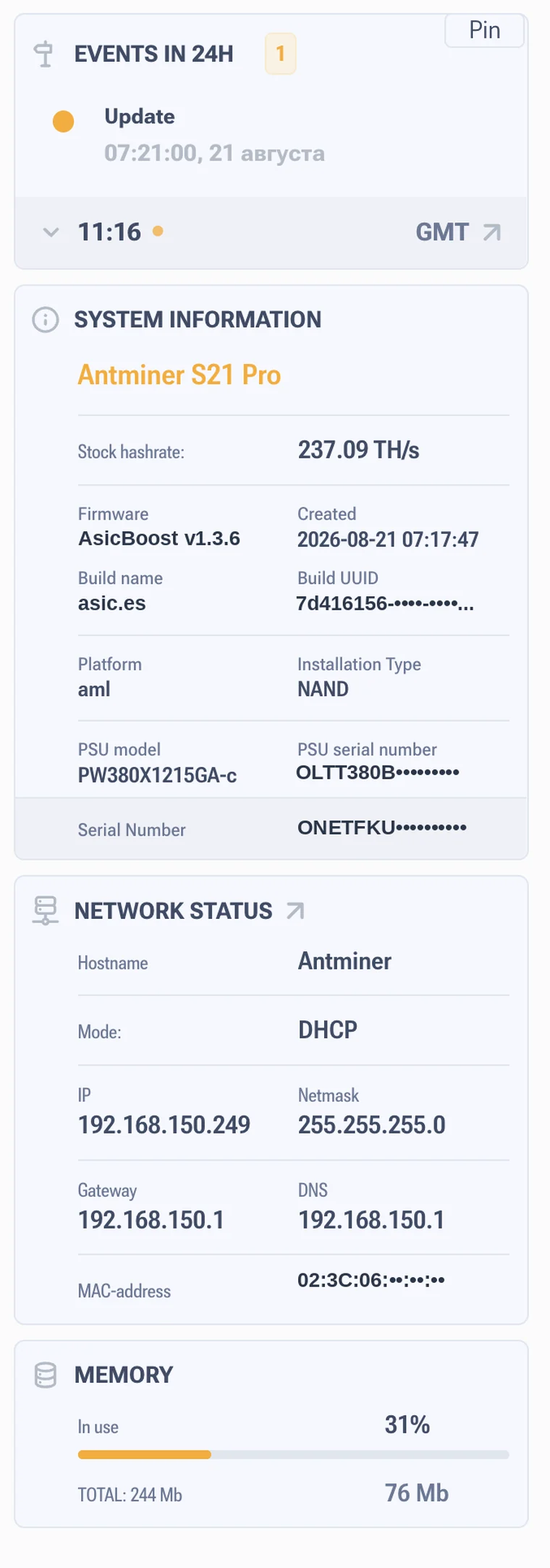


Control buttons and quick actions in the firmware
Restart, lock and the quick actions panel
The top bar looks plain, but it holds the two buttons you will use most often, plus one that saves you from accidental edits.
Two restarts, and they are not the same
| Restart mining | Full reboot | |
|---|---|---|
| What restarts | Only the mining process | The whole controller |
| Network and web interface | Not affected | Gone while it boots |
| How long it takes | Tens of seconds | A few minutes including initialization |
| When to use it | After changing pools, when autotuning hangs | On unstable operation, after a firmware update |
The rule is simple: try the mining restart first. It costs less time and covers most cases. A full reboot is for when you suspect the controller itself, not the process.
Interface lock
Puts the interface into read only mode. You can see the readings, you cannot change anything. Useful when several people have access to the panel, or when the ASIC sits at a hosting site and you do not want anyone nudging the profile by accident.
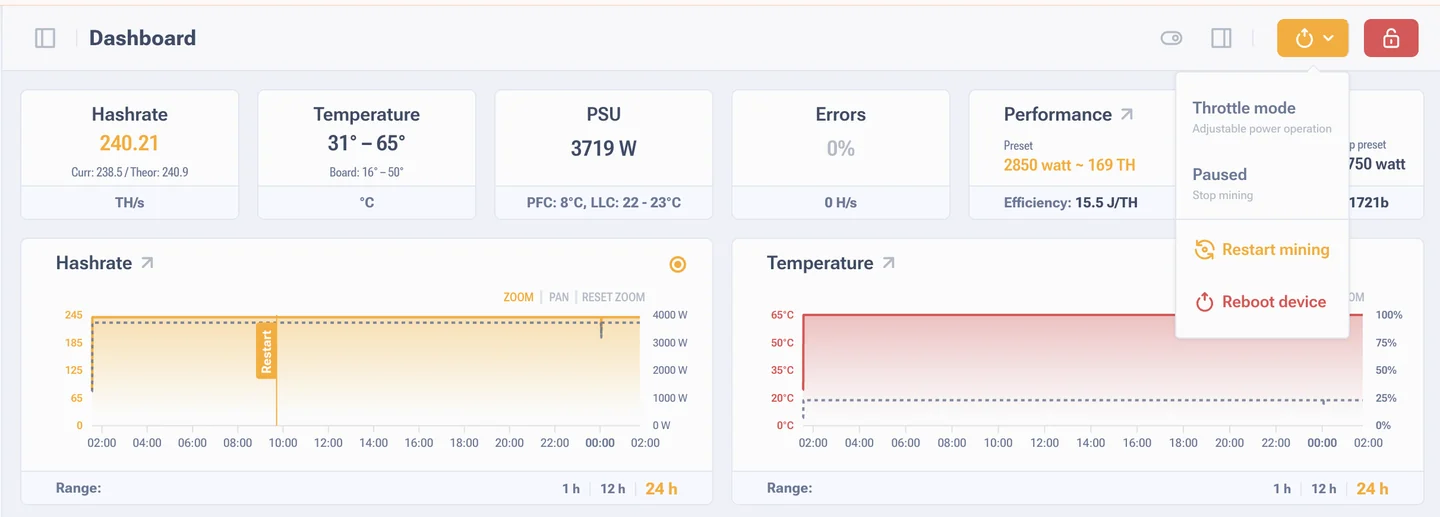
Quick actions panel
Opens from the gear icon. There are five items inside.
- Interface language. Applies instantly.
- Theme. Light, dark or Auto, where the firmware takes the operating system theme. The same switch is in the general settings, Appearance block. The dark side panel is a separate switch and it only works in the light theme.
- Interface optimization. Simplifies the graphics and drops the animations. The ASIC controller has less to do and the page responds faster. Turn it on for old boards, for work over remote access and for browsers without hardware acceleration.
- Sidebar menu theme. The side menu goes dark separately from the rest of the interface and only in the light theme.
- Locate miner. The LEDs on the front panel start blinking. That is how you find the right ASIC in a rack of fifty identical ones.
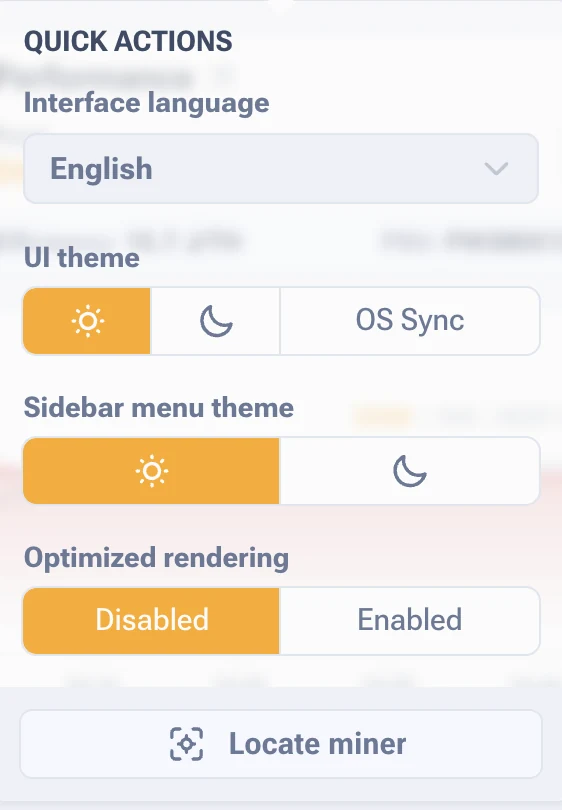
Right panel: events and system information
Opens from a button in the top row, next to the quick actions one. It is a reference panel: it only shows data, there is nothing to change in it. The Pin button keeps it open so you do not have to call it up every time.
Top to bottom it has four blocks.
| Block | What it shows |
|---|---|
| Events in 24h | A counter and a list of the events for the day: updates, errors, restarts, stops. An empty list means the day was quiet. Next to it the system time and the timezone, usually GMT, the same time you see in the logs |
| System information | The ASIC model, stock hashrate, firmware version and build date, build name and UUID, board platform, installation type, power supply model and serial number, and the serial number of the miner itself |
| Network status | Hostname, addressing mode, IP, mask, gateway, DNS and MAC address. These are changed in the network settings |
| Memory | Controller memory in use, in percent and in megabytes. Useful when the interface starts to feel slow |
The Platform line answers which control board the miner has, and Installation Type shows where the firmware is installed. Board types are covered in how to identify the control board.