


Antminer control board types and how to identify them
How to identify the control board before installing
The firmware file is picked by the type of the control board, not by the ASIC model. You need to identify it before you download, and this is the most common place where beginners go wrong.
Four ways to identify the board
- Look at the board. The fastest way: whether there is an SD card slot, where it sits, what the board itself looks like. Which types your model can have you will find in the table of supported miners.
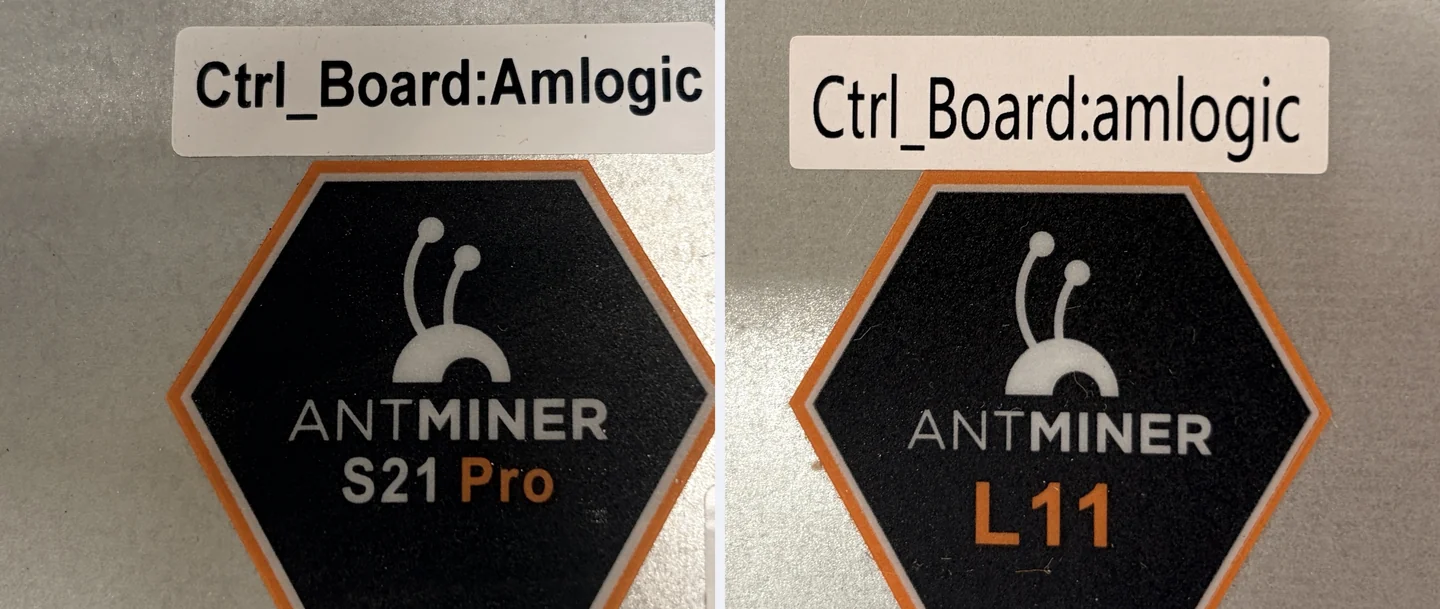
- Read the label on the case. Bitmain puts it on the top cover next to the model badge, with text such as Ctrl_Board:Amlogic. No need to open the case, and the letter case varies from unit to unit.
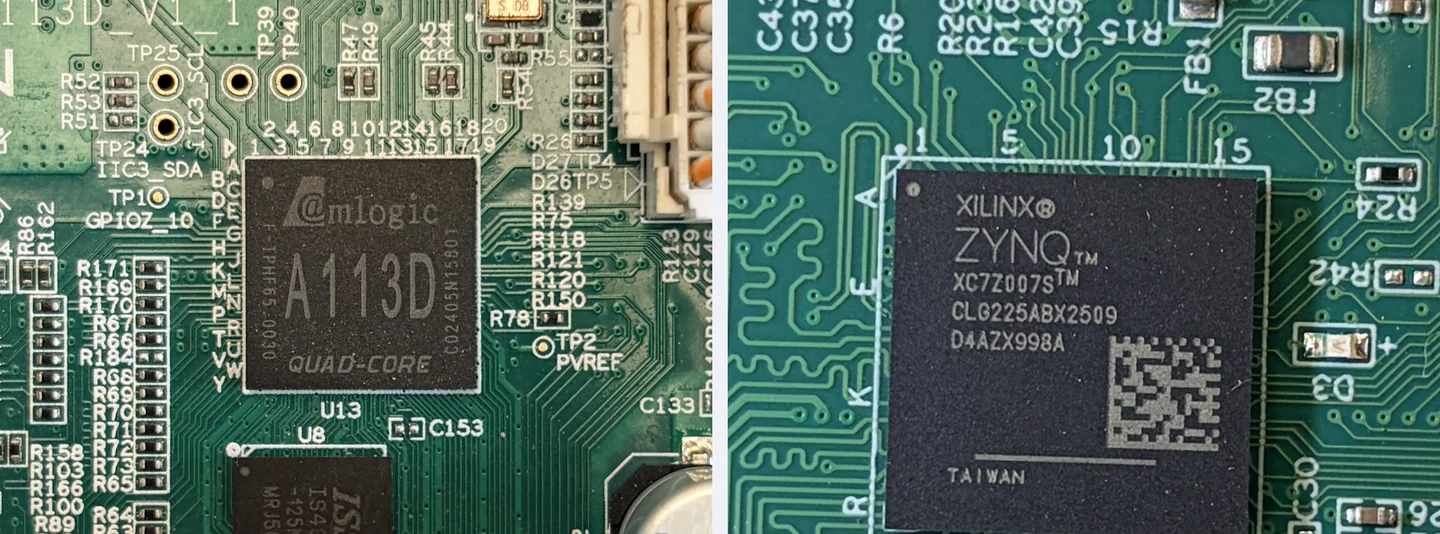
- Read the marking. On the controller cover or straight on the processor. You need a magnifier and patience, but the answer is unambiguous.
- Scan the network with Toolkit. The utility identifies the model and the board type on its own across every ASIC in the range. A method for a fleet of ten units and up, and handier for a single one too.
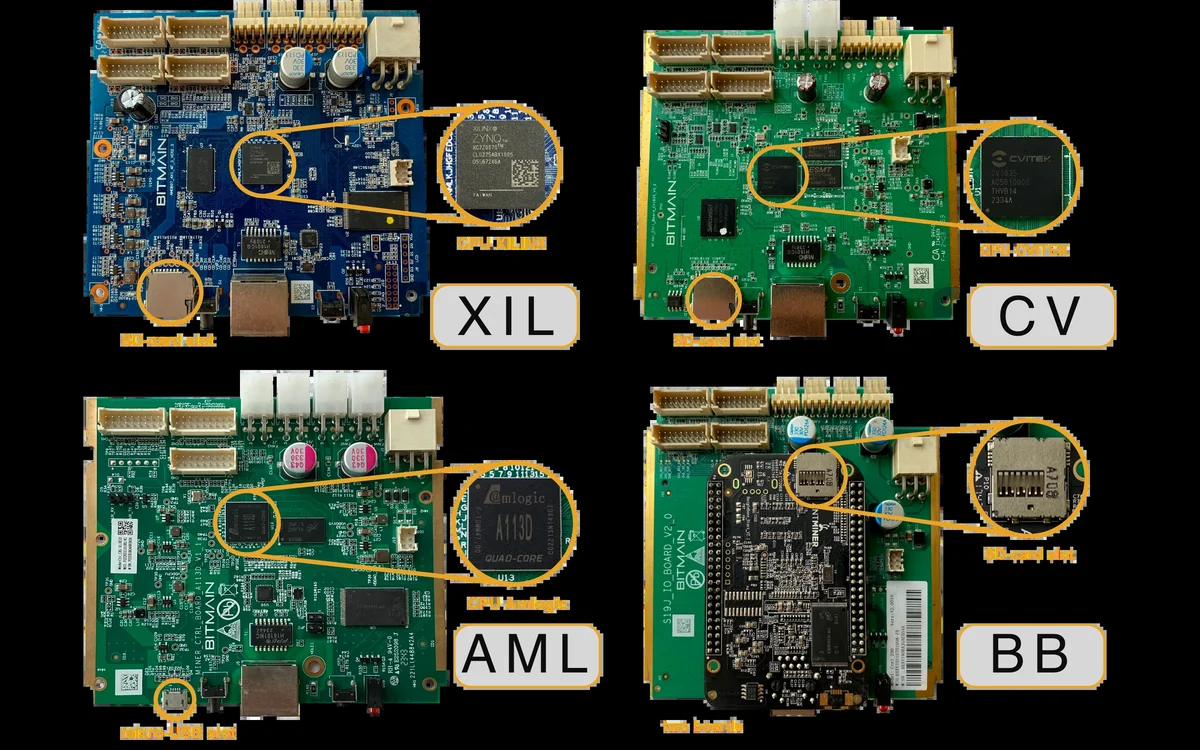
Signs by type
| Type | How to tell | Installation |
|---|---|---|
| Xilinx (xil) | SD card slot on the front edge of the board, visible from outside | Into NAND via Toolkit |
| BeagleBone (bb) | Two story board, the SD slot is usually hidden inside the case | Into NAND via Toolkit |
| Amlogic (aml) | No SD slot at all, sometimes a micro-USB or USB-OTG in its place | Into NAND via Toolkit, recent stock needs unlocking |
| CVITEK (cv) | External SD card slot | Into NAND via Toolkit, plus a background service for recovery |
A separate word on CV boards, this one matters
For an ASIC on a CV board to come back to the custom firmware by itself, you need the Phoenix-scanner background service on a computer in the same network, or another scan through Toolkit with the CV recovery option. On a farm this means one more dependency: the power went out, you brought the network up, then you wait for the scanner to put the firmware back.
On aml, bb and xil boards there is no such problem, installation there is permanent.
What happens if you pick the wrong one
A file for another platform simply will not install, Toolkit rejects it during the check. It is worse when the model matches but the board revision does not: then the ASIC can go into an endless reboot. The cure is a rollback to stock via SD card, and on aml boards with recent stock, UART unlocking first. That takes a lot of time, which is why the board type gets checked twice.