


Diagnostic and integration tools for ASICs
What to watch an ASIC fleet with
One ASIC you watch with your own eyes in the web interface. From the fifth on you start needing tools, otherwise half the fleet lives unnoticed.
| Tool | What for |
|---|---|
| HashCore Toolkit | Network scanning, mass firmware installation, group setup of pools and profiles |
| Diagnostic report | Working through a specific problem, sending it to support |
| API access | Integration with monitoring, automation, your own scripts |
| Network scanners | Finding an ASIC by address when it got lost after a network change |
| Miner locator | Blinking the LED to find the right unit in a rack |
Toolkit
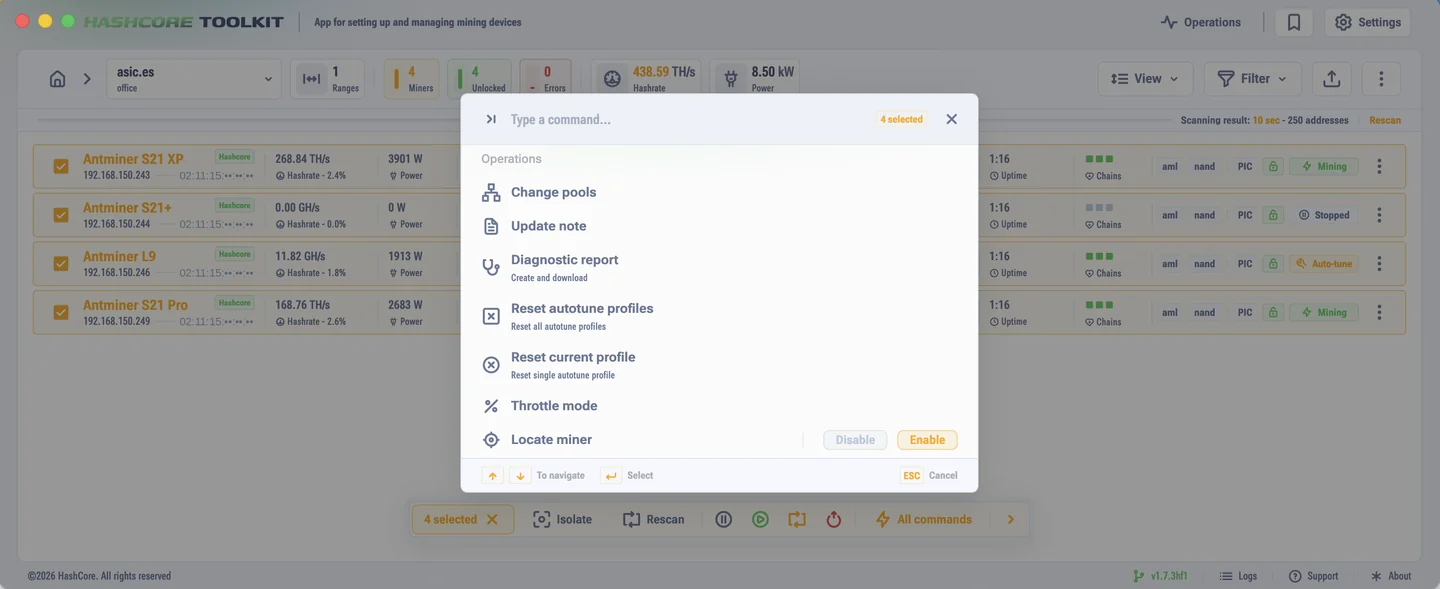
The operator's main tool. It scans a range of addresses, detects the model and the board type, shows firmware versions and lets you work with a whole group of ASICs at once. It is positioned as a fast alternative to BTCTools, and from a dozen devices up the difference in time is noticeable.
Typical jobs: push firmware to a rack, change the pools across the whole farm, take a snapshot of the state before a change, find the ASICs with an old software version. The order for installing firmware through it is described in the installation section. The utility itself lives on the Toolkit download page.
API
Through the API external systems read the state of an ASIC and control mining without a browser. Access is split by two types of keys, see the security section. In practice: a separate key for each system, so you can revoke one without breaking the rest.
Where to start on a small farm
- Put the network in order: address reservations or static addresses, clear host names.
- Install Toolkit and set up network groups by room or by rack.
- Name the workers the same as the hosts. Then the pool statistics will show right away which ASIC has stopped.
- Set up a hashrate drop alert on the pool side. It costs nothing and catches most situations.
- After that connect a monitoring system over the API, if you need charts and history for each device.
Build access to the ASICs through a VPN or the local network. Miner web interfaces put straight out on the internet get found by scanners within hours.