


Hashrate widget in AsicBoost firmware
Hashrate widget: three numbers and what sits between them
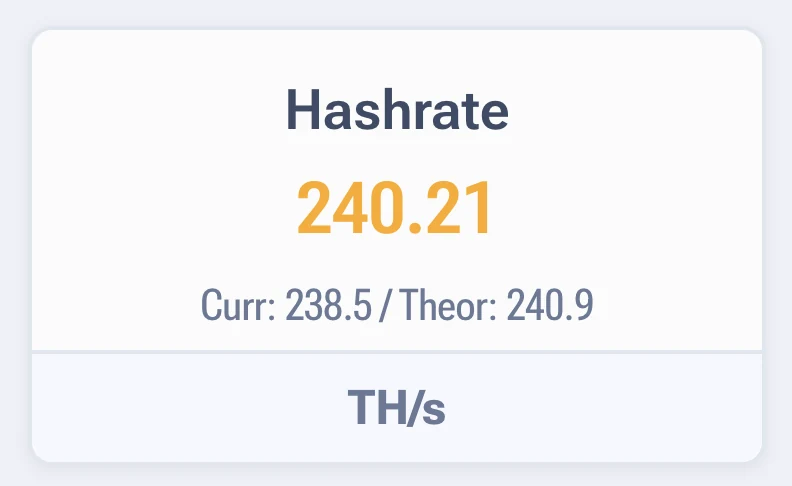
The widget shows three values, and mixing them up is behind half the questions support gets. Here is where each one comes from.
| Value | Where it comes from |
|---|---|
| Hashrate | Instant speed right now. It jumps by nature |
| Theor. | Calculated from the chip model and the current frequency. It holds until the frequency changes |
| Curr. | Average over the last 15 seconds. The calmest of the three |
The theoretical value is the ceiling the ASIC can reach on the current settings. The instant value swings around it. If the current value stays clearly below the theoretical one for hours, some of the chips are not pulling their weight.
What gap is normal
- Up to 3% below theoretical. Normal, every ASIC works like that.
- 5 to 10%. Worth checking the errors widget and the temperature. Usually the chips are at the edge of stability.
- More than 10%. Open the boards table: most likely one board is lagging or some chips do not answer.
A word about the pool. Pool hashrate is always lower than what the interface shows: the pool has its own averaging, and the dev fee is taken out of it. A gap of up to 5% over a day is normal, and you should compare daily averages, not instant values.
Units differ between series
The S and T series count in TH/s, the L series in MH/s. Comparing SHA-256 terahashes with Scrypt
megahashes makes no sense, it is different work.
Quick answers
Hashrate jumps by tens of terahashes, is something broken?
The instant value always jumps. Look at the averaged value and at the chart over a few hours, that is where the real picture is.
Pool hashrate is lower than in the interface. Where did it go?
Part goes to the dev fee, part to the pool averaging and rejected shares. A difference of up to 5% over a day is normal.
Theoretical hashrate went up after a profile change, the real one did not.
The ASIC has not settled on the new profile yet, or the chips cannot hold the set frequency. Check errors and temperature.