


Performance widget in AsicBoost firmware
Performance widget: profile, frequency, voltage
This widget tells you what mode the ASIC is running in and whether it has managed to tune itself to that mode.
When no profile is selected
The widget shows the global voltage and frequency values, and the calculated efficiency is zero, because consumption is counted as zero too. The ASIC still works, just without a preset. Next to it you can see the power supply model, APW121215a for example.
When a profile is selected
The profile name appears in the form "calculated power and hashrate target", for example 3750 W and 236 TH/s. If the ASIC has already tuned itself on this profile, the tuned mark lights up next to it.
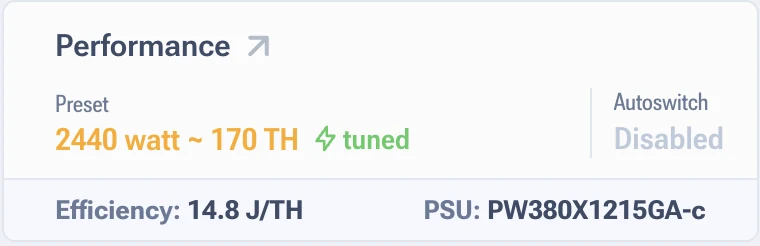
| What you see | What it means |
|---|---|
| Profile selected, tuned lit | Normal state, the ASIC is tuned |
| Profile selected, tuned not lit | Tuning never ran or was reset. Hashrate will be below potential |
| No profile selected | Running on global values, consumption and efficiency are shown as zero |
How to pick a profile and what to do next is covered in the performance section. The same page explains why global frequency and voltage are stored inside the profile and not separately from it.
If a profile is set and the tuned mark still has not appeared on the second day, check whether tuning is being interrupted by reboots, and look into the autotuning logs. Usually unstable power or overheating is to blame.